
Client Portal Software for Virtual Assistants: What It Actually Fixes
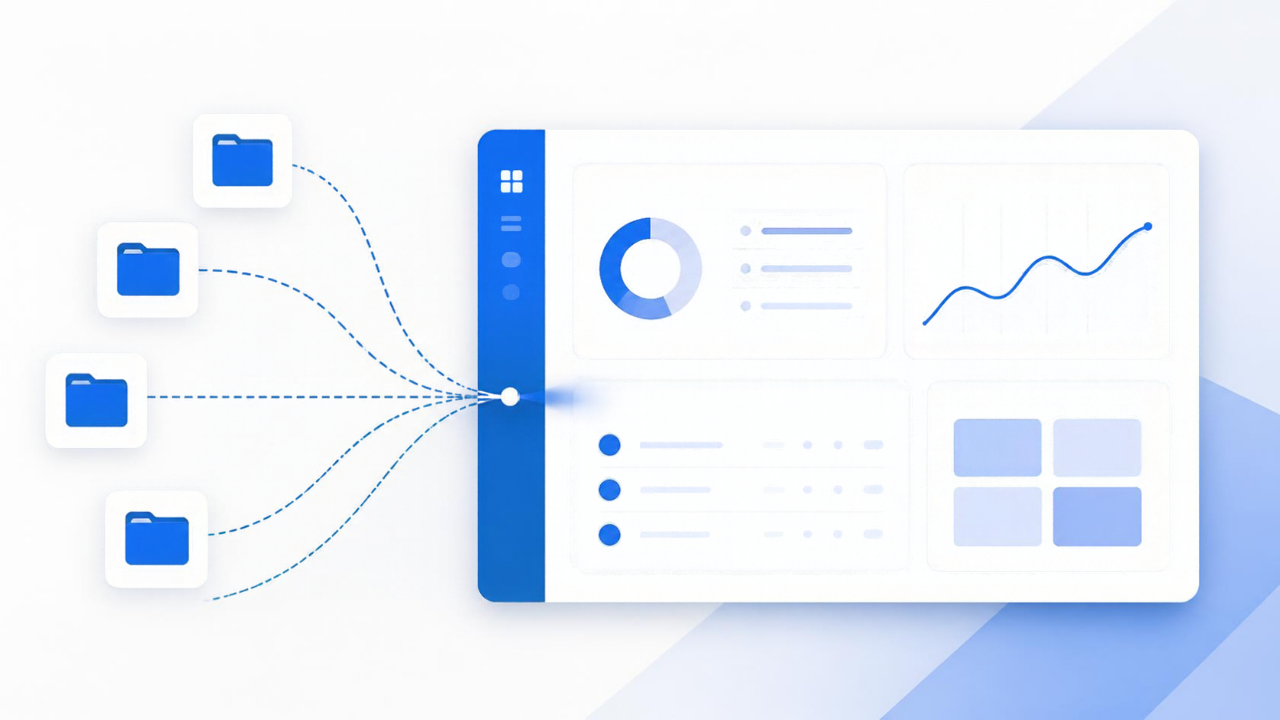
Client portal software for virtual assistants solves a problem most VAs don't name correctly at first: it isn't a communication problem, it's a location problem. Your client's files live in three different Google Drives, your invoices live in a spreadsheet you email as a PDF, your project notes live in a doc nobody opens, and every Sunday night you're pasting the same status update into four different Slack channels because that's where each client happens to expect it.
The 9pm "just checking in" message is a symptom
If you run more than two retainer clients, you've gotten the message. Not because your client is anxious or difficult — because they genuinely have no other way to know where things stand. They don't have a dashboard. They have you, and whatever channel you last replied on. So they ask. And you answer, again, which is unpaid time spent restating information you already sent them once.
A client portal isn't a nicer-looking inbox. It's the thing that lets a client log in and see the current task list, the last three deliverables, and the open invoice without typing anything to you first. The value isn't the polish. It's that the question gets answered before it gets asked.
Why this hits VAs differently than freelancers in general
Most portal software gets built for agencies with one client and a big team. Virtual assistants are the opposite: one person, many clients, each with different tools, different expectations, and different billing arrangements — retainer here, hourly there, a flat monthly fee for the third one. Generic project management tools assume you're inviting teammates into one shared workspace. You're not. You're running five separate client relationships that should never see each other's data, from a single login of your own.
That's the actual requirement: per-client isolation with one interface for you. Not five instances of five different apps, and not one shared board with visibility settings you have to double-check every time you add a task.
What it needs to actually replace, not just supplement
If a client portal sits next to your existing invoicing tool, your existing time tracker, and your existing file storage, you've added a fifth tab, not removed four. The point is consolidation: the same login where a client sees their project status is also where they see the invoice for last month's retainer hours and the contract they signed in March. When those live apart, you're still the integration layer — copying numbers from one tool into an email, forwarding a file from Drive because the portal doesn't have it.
The test worth applying to any portal tool: can a client answer "are we on track" and "what do I owe" without messaging you? If the answer is no, you've bought a nicer folder structure, not a portal.
The retainer hours problem this quietly fixes
Here's the part that doesn't show up in most portal comparisons: undercounted hours. VAs on retainer routinely eat time — the quick five-minute favor between tasks, the follow-up email that didn't feel worth logging, the research rabbit hole that ran long. None of it gets billed because none of it gets written down in the moment, and by Friday you don't remember enough to reconstruct it.
A portal tied to actual time tracking changes the default. If logging a task takes ten seconds and shows up automatically on the client's side, you log the five-minute favor instead of eating it. Multiply that across a dozen small tasks a week and it's not a rounding error — for a lot of VAs it's the gap between a retainer that pays and one that quietly loses money every month.
What to weigh before you switch
Migration cost is real. If you've got eighteen months of client history in Google Docs and Trello boards, moving all of that into a new portal is a weekend you don't get back, and some clients will notice the change and ask why. Weigh that against what you're currently losing to manual status updates and undercounted time — for most VAs running three or more retainer clients, the math clears in under two months. For someone running one client on an ad hoc basis, it might not be worth the switch yet.
Also worth checking before you commit: does the portal let each client see only their own project, invoices, and files — with zero setup on your end to enforce that separation? A lot of tools technically support it but bury the permission settings deep enough that you'll get it wrong once, which is the kind of mistake that's hard to walk back with a client.
Where this fits if you subcontract
If you bring in other VAs to help cover client work, the portal question gets a second layer: does your subcontractor need visibility into the same client view you have, or a narrower one? Most VAs default to giving subs full access because it's easier to set up, which also means a sub can see billing rates and other clients' data they have no reason to see. A portal built around per-client, per-user permissions avoids that without you having to think about it every time you bring someone new onto a project.
FocalVA bundles the client portal, retainer time tracking, invoicing, and contracts into one login built specifically for how virtual assistants run multi-client businesses — not retrofitted from agency software. If you're tired of being the manual sync point between five tools, take a look at what FocalVA does for virtual assistants.